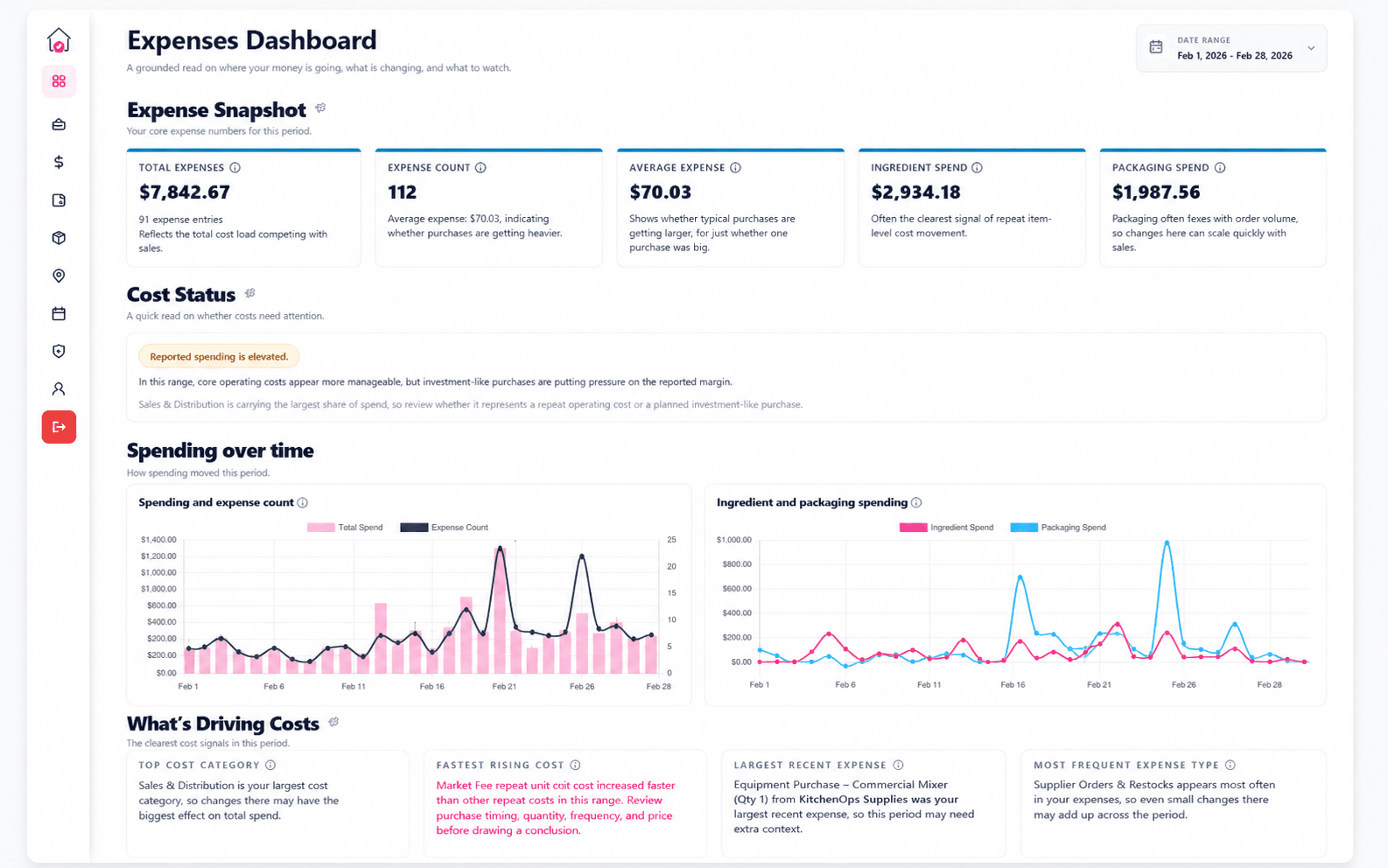
Expenses
Spot the costs that are starting to move.
Separate everyday operating pressure from larger purchases and see which categories deserve review.
Bring your sales, expenses, products, customers, and markets together. CottageOps turns the data you already have into practical business intelligence.
01 · See what’s working
See the products, customers, events, and markets actually carrying the business.
02 · Know what it costs
Track expense pressure, batch cost, unit cost, labor, packaging, and margin.
03 · Decide what’s next
Review pricing, product experiments, business changes, and the signals worth watching.
Your records do not need to be perfect before they become useful. CottageOps works with the way small food businesses already operate: Square exports, CSVs, rough spreadsheets, receipts, PDFs, images, and quick notes.
One useful shortcut
Import one Square export and CottageOps can create sales, products, pop-up locations, and events.
Bring in the records you already have instead of rebuilding the business by hand.
Turn receipts, PDFs, notes, and messy spreadsheets into structured records.
Napkin Imports
Receipts, PDFs, images, raw text, and rough notes are valid starting points.
CottageOps connects the pieces so you can stop asking “what happened?” and start understanding what changed, what is driving it, and what deserves attention next.
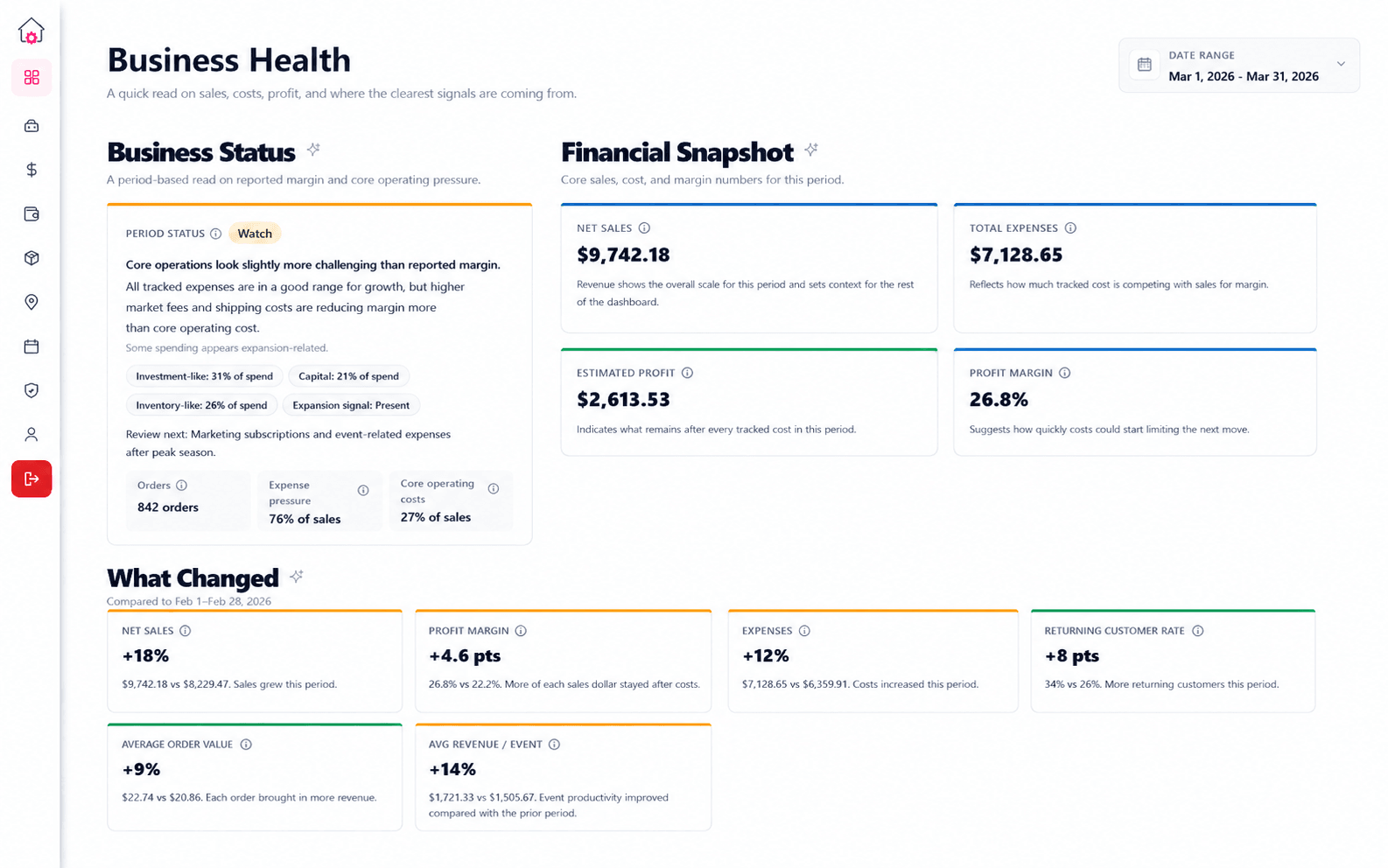
Business Health
Revenue can rise while costs rise faster. Profit can look healthy while one category is applying pressure. Business Health brings the signals together so the overall story is easier to read.
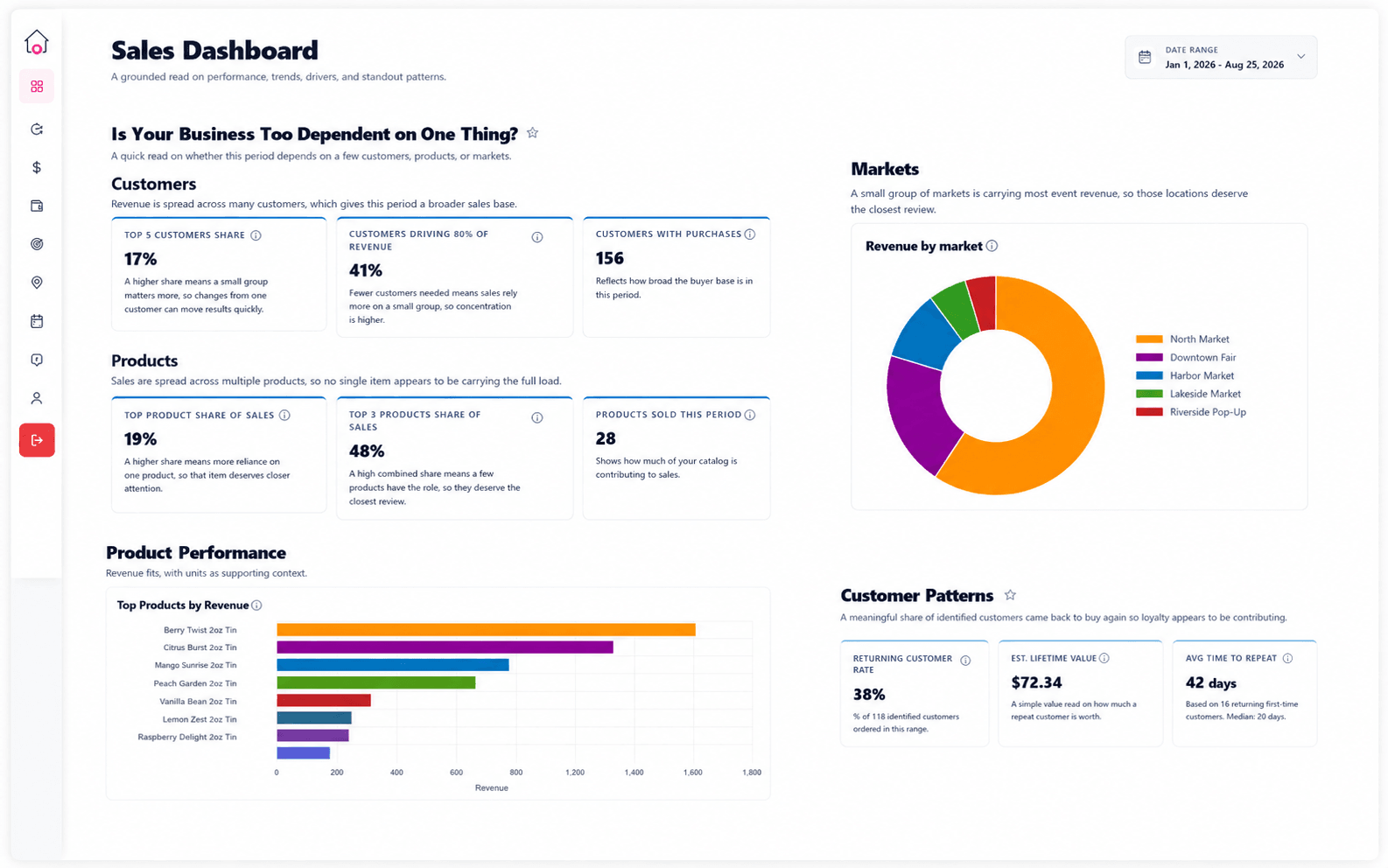
Sales intelligence
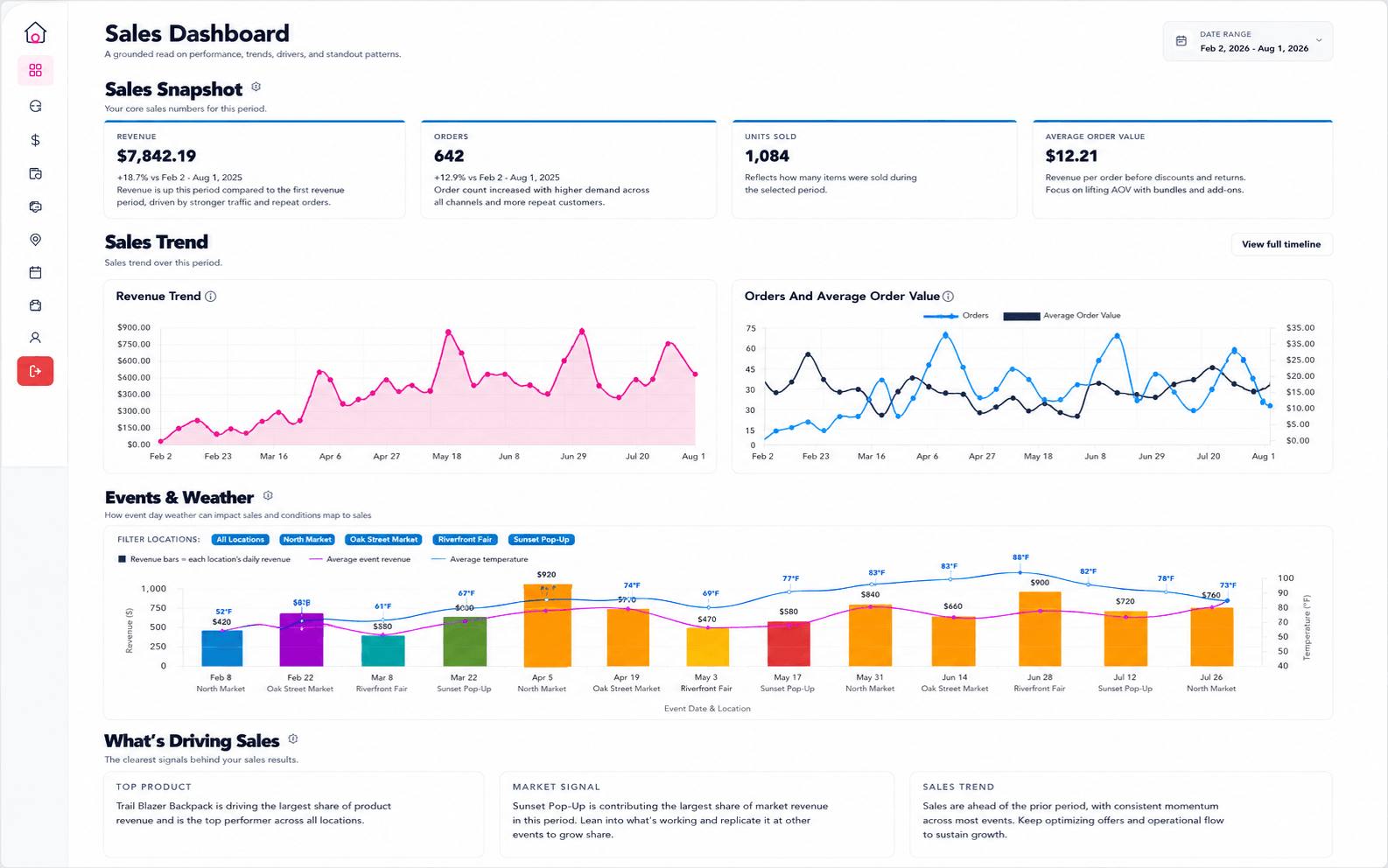
CottageOps goes beyond total sales. See whether revenue depends on a few products, a few customers, or a few markets and whether customers are coming back.
Products
See which products are carrying revenue.
Customers
Understand repeat behavior and concentration.
Markets
See which locations deserve your time.
Trends
Know whether momentum is broad or fragile.
Cost clarity
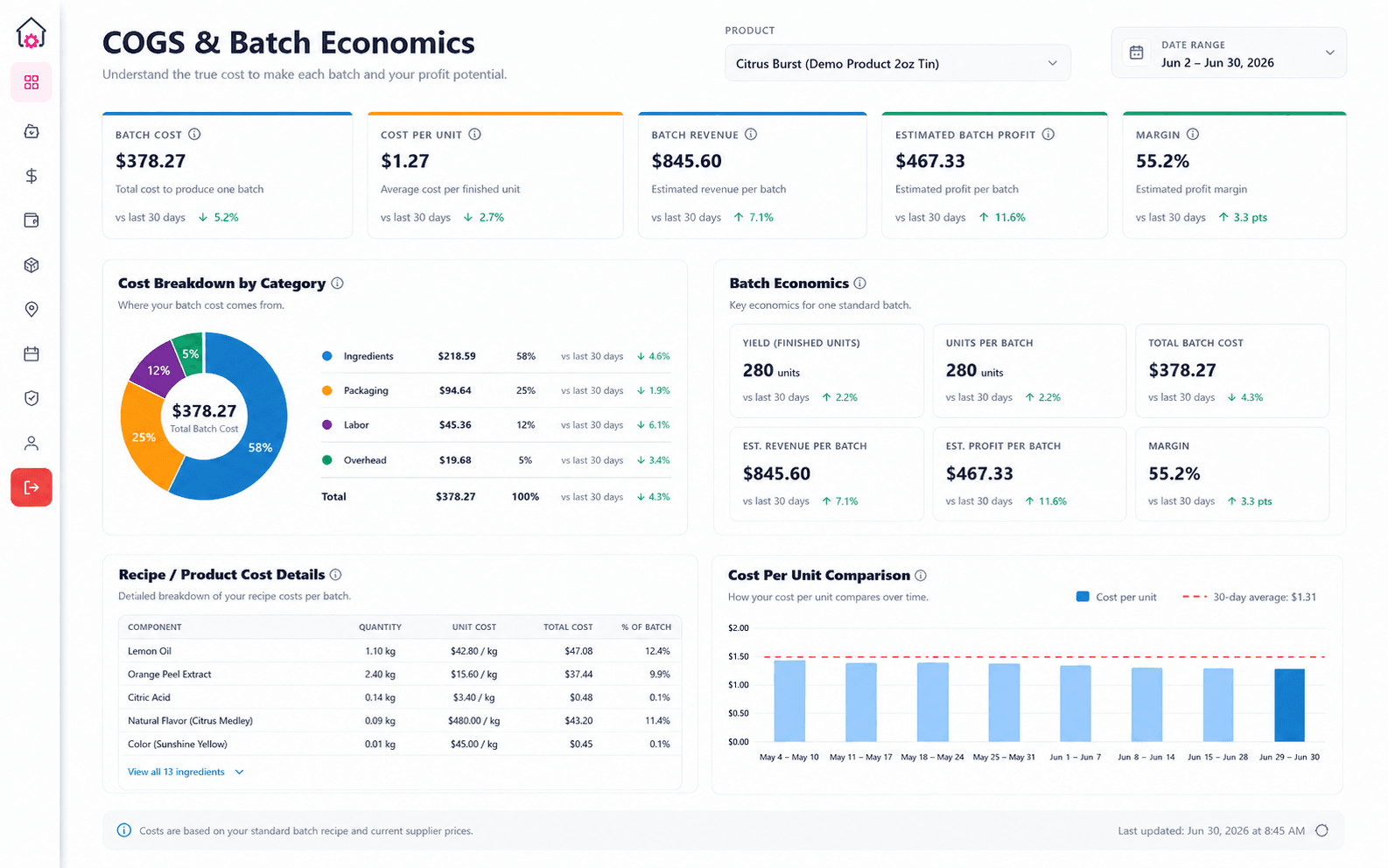
Expense intelligence shows where spending is moving. COGS & Batch Economics connects ingredients, packaging, labor, and batch yield to the product itself.
Expenses
Separate everyday operating pressure from larger purchases and see which categories deserve review.
COGS & Batch Economics
Turn ingredients, packaging, labor, and yield into batch cost, unit cost, estimated profit, and direct margin.
CottageOps helps turn the read into a decision: whether a price should move, whether an experiment deserves another shot, and what happened after you made a change.
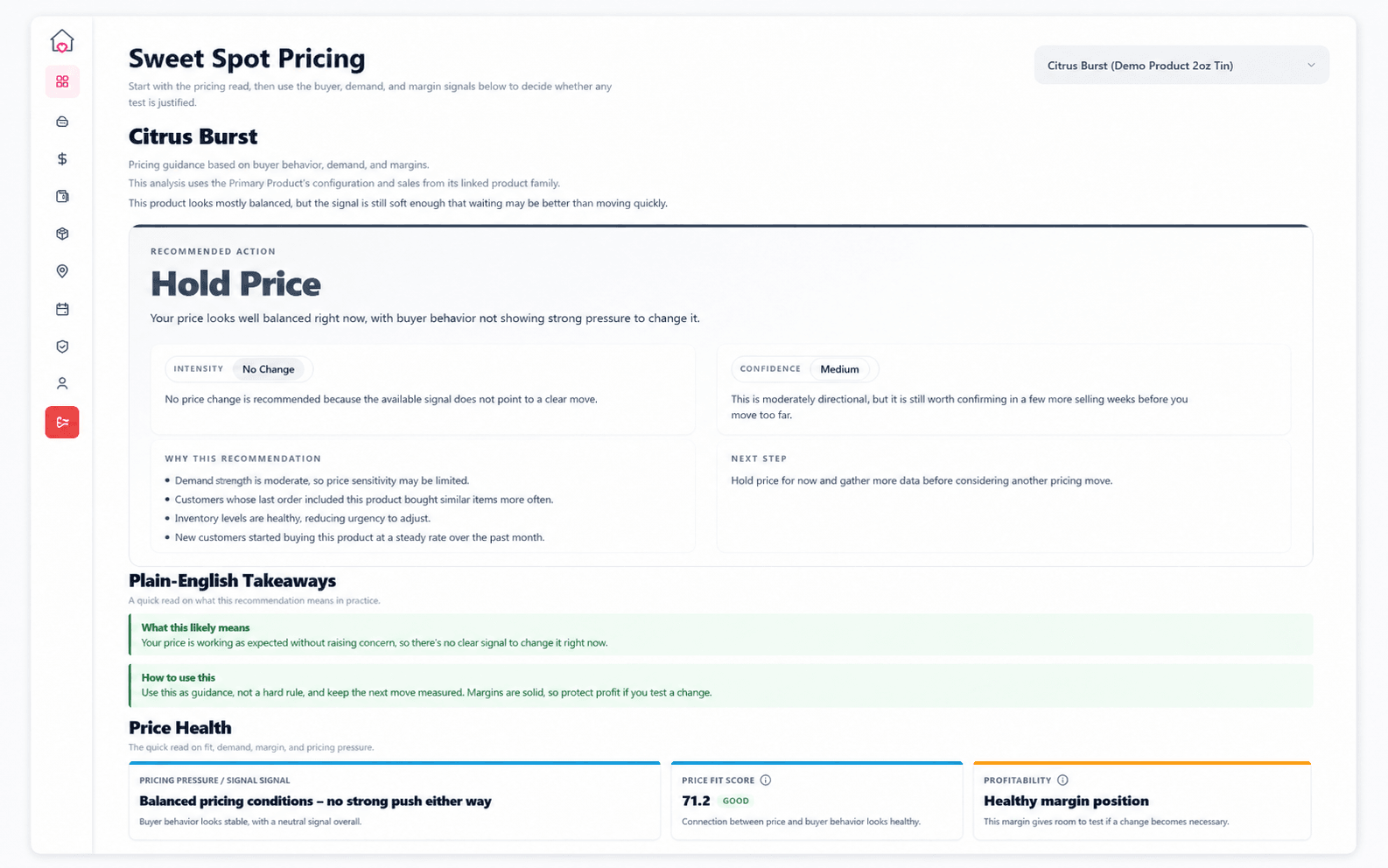
Sweet Spot Pricing
Bring buyer behavior, demand, and margin together in a practical recommendation: hold, move, or keep gathering evidence.
Limited Runs to Review
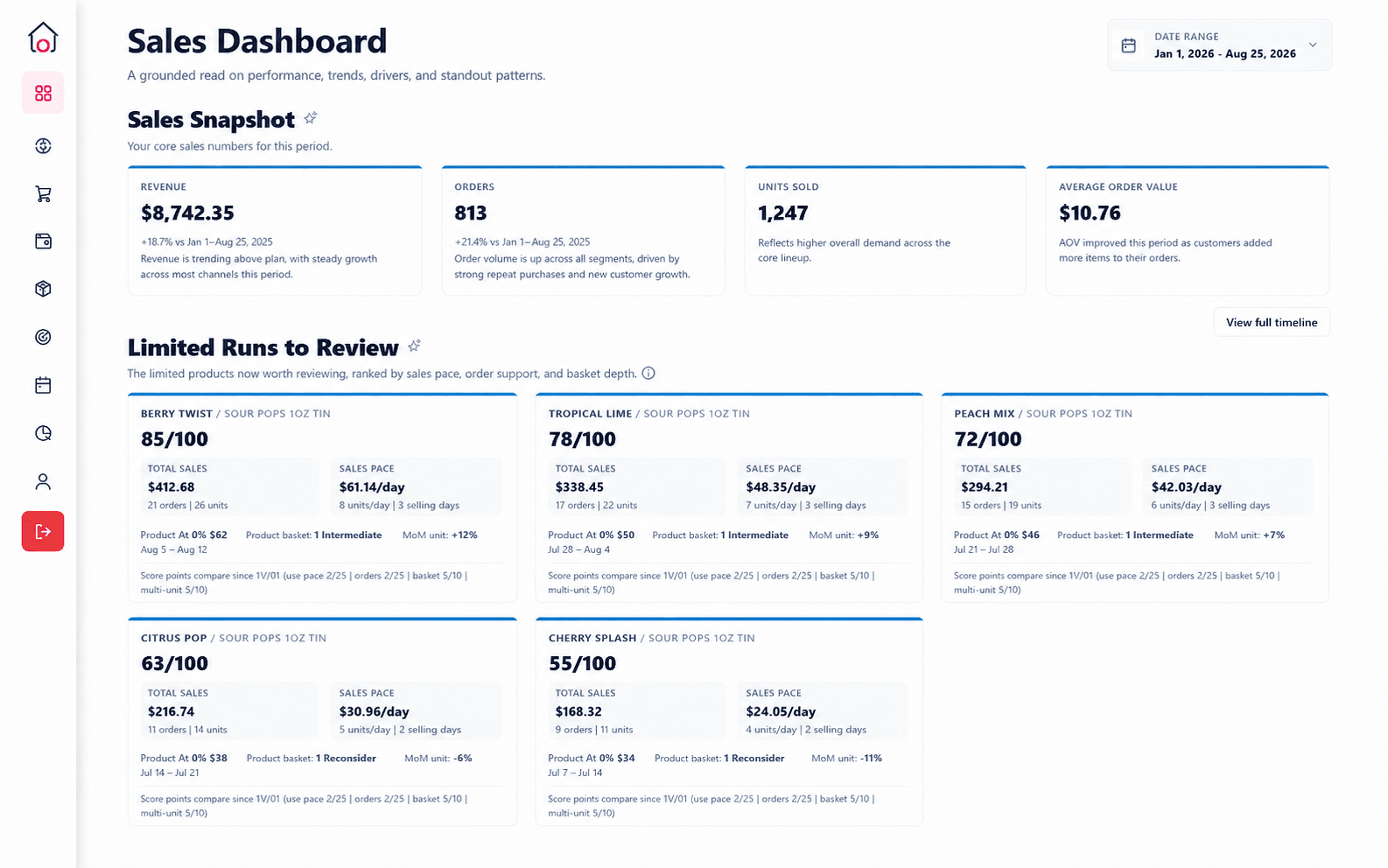
Surface limited products worth reviewing based on sales pace, order support, basket depth, and the context around the run.
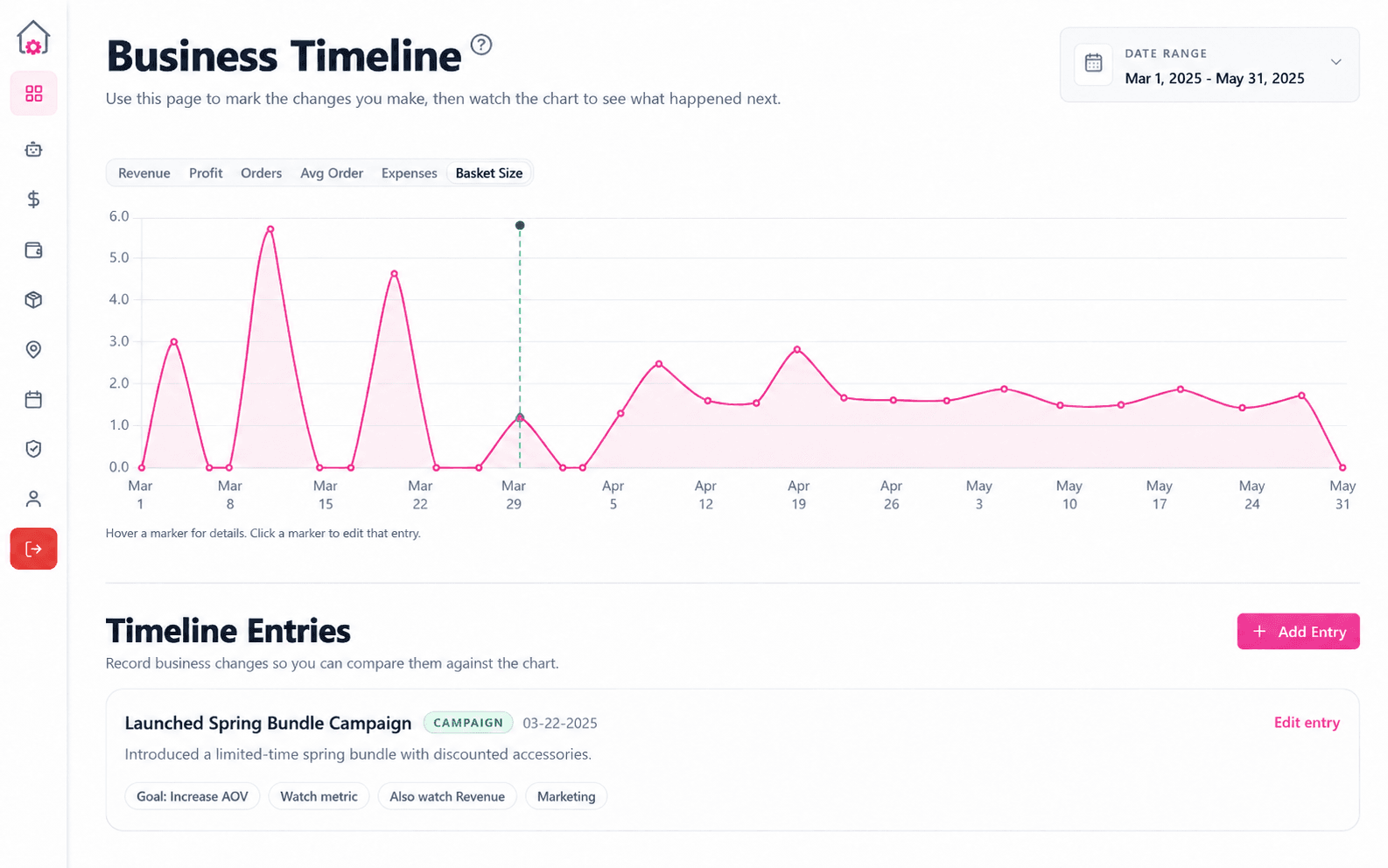
Business Timeline
Record price changes, campaigns, product decisions, or operational moves, then compare those moments against the metrics you were trying to influence.
No accounting degree, spreadsheet rebuild, or complicated analytics tool required. CottageOps is built for people making products, selling at markets, working pop-ups, growing wholesale, and trying to understand the business between everything else.
Keep using it. CottageOps can turn the export into connected sales, products, locations, and events.
Use them as inputs instead of rebuilding your existing records around another template.
Receipts, images, PDFs, notes, rough spreadsheets, and exports are all valid starting points.
Sales imports, Prep Imports, Napkin Imports, and quick entry reduce the amount you have to rebuild by hand.
Business Health explains the business in plain language instead of expecting you to decode an accounting screen.
See the pricing, product, market, and cost signals that deserve attention next.
Request access and see what your products, events, expenses, and pricing are really telling you.